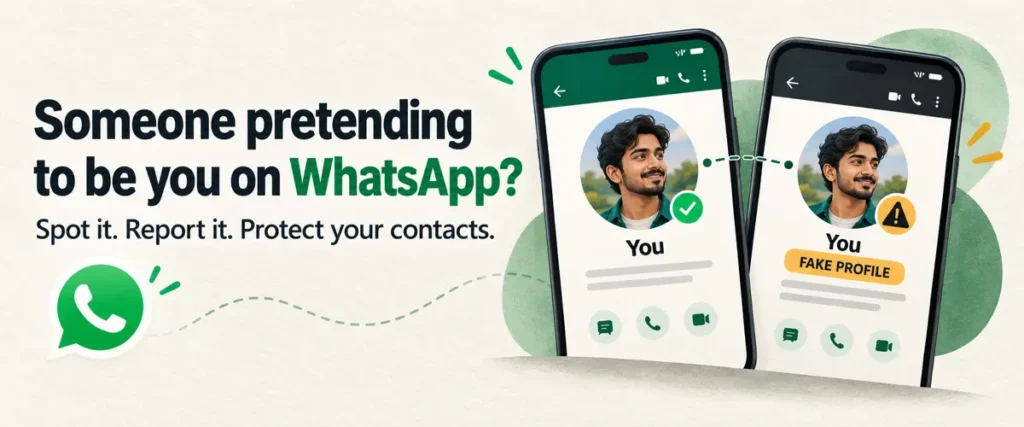
WhatsApp impersonation happens when someone pretends to be you on the app, often using your name and photo on a different number to mislead your contacts. If you discover this, save screenshots of the profile and messages, warn your contacts to ignore any communication from this profile, and report it to WhatsApp.
You might first hear about it when a friend or family member asks, “Did you just message me from a new number?” They may have received a request for money, a suspicious link or a message asking for personal information. A familiar name and photo can make those messages seem convincing.
But a copied profile does not necessarily mean your account has been hacked. Checking whether the messages came from another number or your actual account will help you decide your next steps.
This guide explains how to identify the impersonation, preserve evidence, and report the fake account. It also covers how to check your own account’s security and where to seek help in India if the impersonation involves fraud, threats or financial losses.
Key Takeaways
- WhatsApp impersonation may involve a different number using your name and photo, rather than someone accessing your account.
- The impersonator’s full phone number, profile screenshots, and messages are useful evidence to save before blocking.
- Warning your contacts through a trusted channel can help prevent them from acting on the impersonator’s requests.
- Reporting the account to WhatsApp is one step; fraud, threats, or harassment may also need reporting to the authorities.
- Reviewing linked devices and enabling two-factor authentication help protect your account, but cannot stop someone copying your profile.
What is WhatsApp Impersonation?
WhatsApp impersonation is when someone presents themselves as you on the app to make others believe they are communicating with “you”. The impersonator might use your name and profile photo on another number, or even use unauthorised access to your existing account to send messages in your name.
For example, a friend could receive a message with your photo saying, “This is my new number. Can you send me ₹2,000? I’ll return it tonight.” The sender is relying on your friend’s trust in you to make the request seem genuine.
A copied profile and an account takeover are different situations. Someone using your photo on another number does not, by itself, mean they can read your chats or access your WhatsApp account.
WhatsApp impersonation can also involve someone claiming to be a police officer or another official, as in digital arrest scams. Here, the focus is on someone using your personal identity to approach people who know you.
🔔 Remember: A name and profile photo can be copied, but neither is enough to verify who is sending a message.
Understanding this distinction can help you decide what to action to take next. Start with the sender’s number and the messages your contacts received, then look for signs that someone is deliberately posing as you.
How to Identify WhatsApp Impersonation?
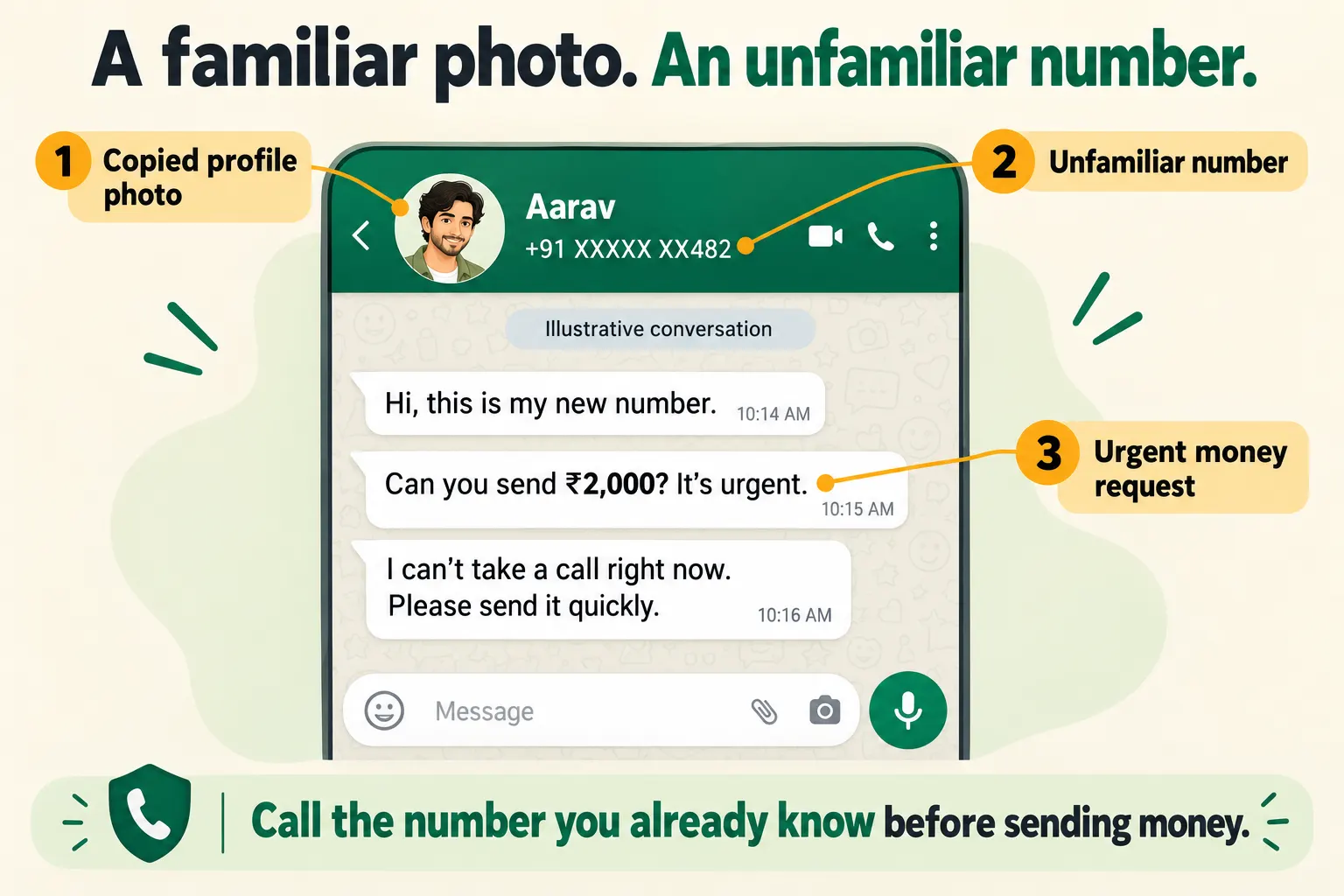
To identify WhatsApp impersonation, check whether the sender is claiming to be you and sending messages you did not write. Ask your friends or family members who received messages from this account to share screenshots and the sender’s phone number, including the country code.
Look for these signs:
- A “new” number message: Someone contacts your friends or family using your name and photo, claiming you have changed your number.
- Requests you never made: Your contacts receive messages asking for money, verification codes, or personal information in your name.
- Pressure to act before checking: The sender claims an emergency, asks for secrecy, or insists that a payment cannot wait.
- Excuses to avoid a call: The sender says they cannot speak and repeatedly pushes your contact to continue by text.
In February 2026, the Times of India reported that a Hyderabad professional lost over ₹1.5 lakh after a fraudster contacted him on WhatsApp impersonating his CEO and asked him to buy Amazon gift cards.
🎯 Pro Tip: Ask your contacts to call you on a number they already know belongs to you. Calling the unfamiliar number only connects them to the person whose identity they are trying to verify.
These signs become strong evidence when you confirm that the messages were not sent by you. Next, check whether they came from a separate number using your identity or from your own account, because such situation needs a different response.
Is Someone Copying Your Profile or Using Your Actual Account?
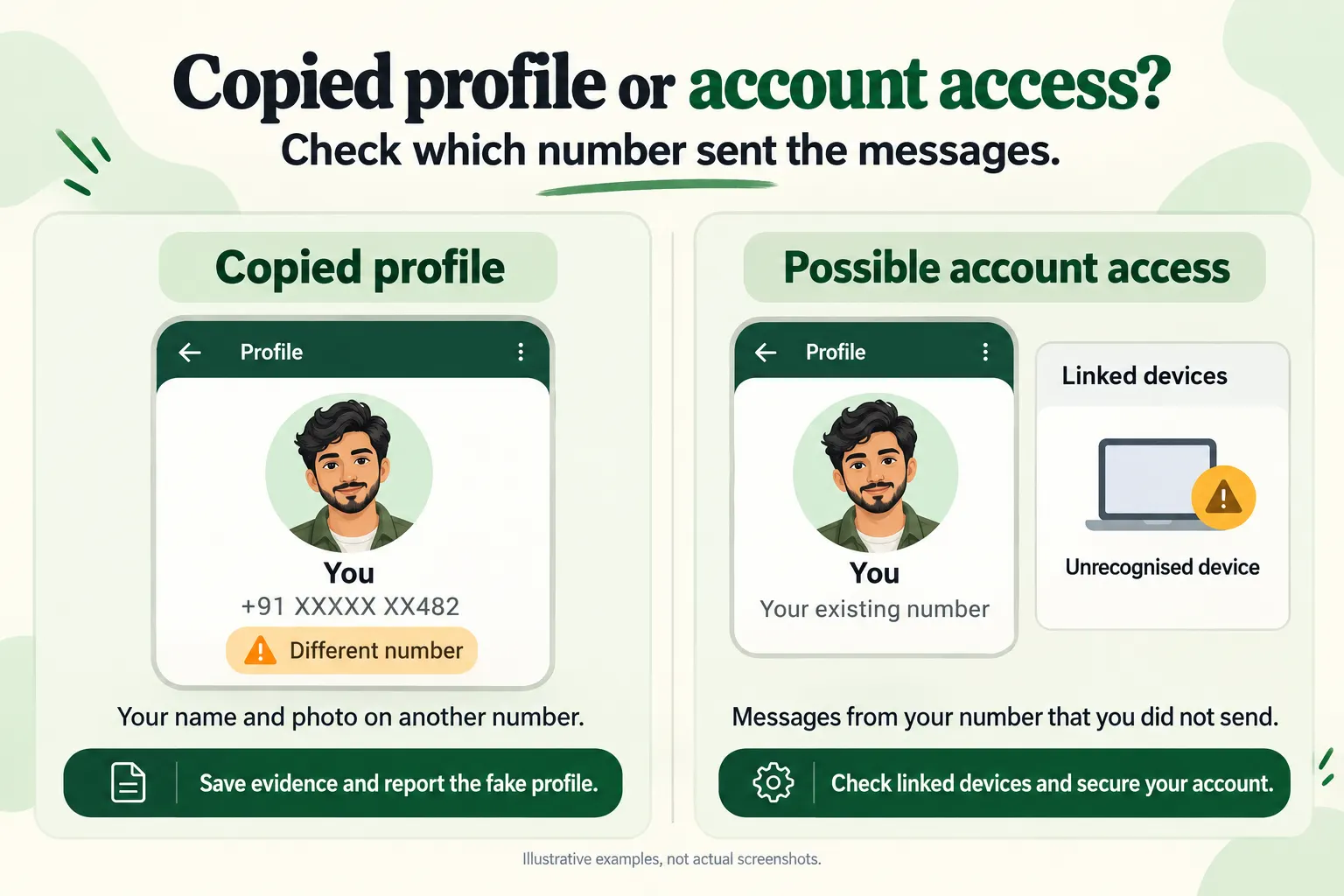
Once you have confirmed WhatsApp impersonation, check the number behind the messages. This helps you distinguish someone using identity from someone access your account.
If the messages come from a different number: Someone may have created a profile using your name and photo. Ask your contacts to open the sender’s profile and check the full number. A copied profile alone does not give the impersonator access to your chats or contacts.
If the messages from your own number: Messages you did not send may indicate unauthorised access to your account. Review linked devices in the app and log out those you do not recognise. If you have unexpectedly lost access to WhatsApp, you will also need to follow the company’s account recovery process.
The Indian government has also warned about this type of WhatsApp account impersonation. On 7th August 2026, I4C said it had alerted over 58,000 potential victims in the preceding 30 days about a campaign involving malicious files, WhatsApp account takeover, and executive impersonation.
🔔 Remember: Being able to open WhatsApp on your phone does not rule out access through a linked device.
Once you know which situation you are dealing with, you can take the appropriate reporting or recovery steps. Preserve the evidence and alert anyone who might receive a message from the impersonator.
What to Do Before Reporting the Impersonator?
Before reporting WhatsApp impersonation, preserve the details that show what happened and warn the people being contacted. If you suspect someone has access to your actual account, secure it promptly while gathering whatever evidence is available.
Save the Profile, Phone Numbers, and Messages
Useful evidence should show who sent the messages, what they claimed and what they asked the recipient to do. If the impersonator contacted your friends or family, ask them to preserve the original conversation and share:
- The full phone number, including the country code, along with the profile name and photo.
- Screenshots of the conversation, showing the claim to be you, suspicious requests, and visible dates and time.
- Any payment details shared, such as UPI ID, QR code, or bank account number.
- Transaction records if money was sent, including the amount, payment reference and receipt.
Remember to keep the original screenshots without cropping out relevant details. Having these records together will make it easier to explain the incident when you report the cyber crime.
Warn your contacts through a trusted channel
A clear warning gives your contacts a way to recognise messages that are not sent by you. Reach affected friends, family, or groups through a channel you still control, such as a phone call, SMS, or another messaging account.
Tell them which number is impersonating you and ask them not to send money, share codes, or open its links. If your own WhatsApp account may be compromised, use another channel to deliver the warning.
🎯 Pro Tip: Make the warning specific: “*Someone using the number ending in **** is pretending to be me. Please ignore its requests and call me on my usual number to check.”
Ask anyone who has already replied or sent money to preserve that conversation and tell you what happened. With evidence saved and contacts alerted, the next step is to report the impersonating account to WhatsApp and authorities.
How to Report WhatsApp Impersonation
If the impersonator has messaged you, report that account from that conversation. If they have contacted only your friends or family, ask them to report it from their own chats. This allows WhatsApp to receive recent messages from the account as part of the report.
Report the account from the chat
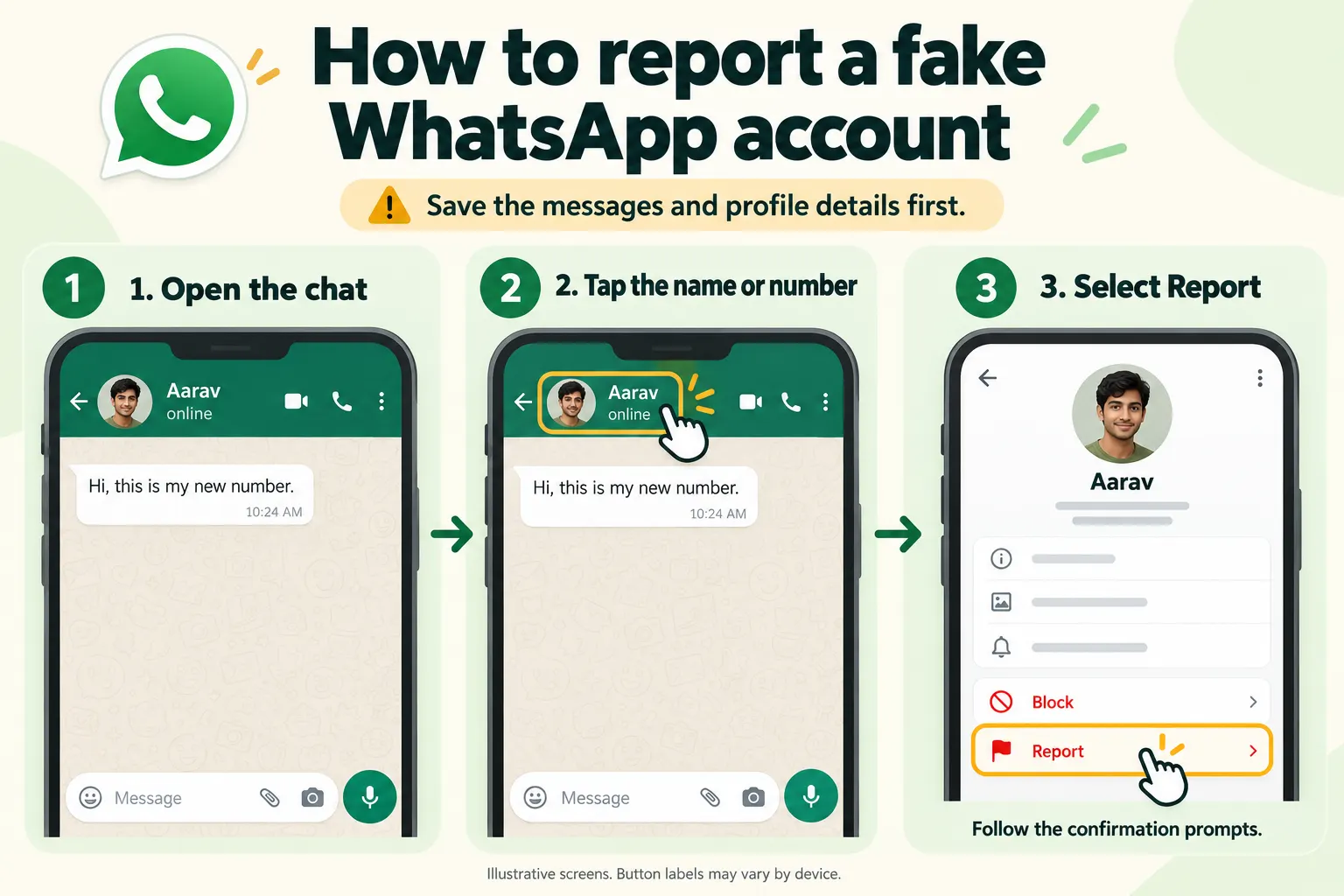
Once the recipient has saved the evidence, they can report WhatsApp impersonation by following these steps:
- Open the chat with the impersonating account
- Tap the sender’s name or phone number at the top
- Scroll down and tap Report
- Follow the on-screen instructions to confirm
The wordings may differ from device to device. WhatsApp provides the available options in its official reporting instructions.
After submitting the report, the recipient can also block the number to stop further direct messages and calls from it.
Block the number after saving the evidence
The reporting screen may offer an option to block the account at the same time. You can block the account by going into their profile and selecting **Block.** Check any conformation options carefully, particularly if they include clearing or deleting the chat.
Keep the saved screenshots and payment details even after blocking. These will come in handy if the impersonator contacts more people or the incident requires an official complaint.
💡 Remember: Blocking the number only stops it from contacting you directly on WhatsApp, but it does not stop the impersonator from messaging your contacts.
Reporting and blocking are useful first steps, but they do not guarantee immediate account removal. If the impersonation has led to financial loss, threats, or harassment, you should also seek help through appropriate authorities.
When to Report the Incident to Authorities?
You may need to do more than just reporting WhatsApp impersonation incident on the app if you or someone you know have lost money, received threats, or have been harassed.
Following are some situations in which you should report the incident to authorities.
1. If money has been paid
If one of your friends or family member, who was contacted by the impersonator have paid the asked amount, ask them to contact their bank or payment provider and call the cyber crime helpline number – 1930.
Do not wait for WhatsApp to remove the account before reporting the payment.
Save the transaction ID, payment date, and recipient details ready. Follow the instructions before submitting the complaint online.
Prompt reporting can help authorities and financial institutions act on the transaction; but it does not guarantee a refund. Remember to save the acknowledgement number so you can follow with the authorities.
2. If there are threats, harassment, or fraudulent messages
You can submit a complaint through the national cyber crime reporting portal at cybercrime.gov.in. Choose the reporting category that matches the incident and explain the events in order.
For a WhatsApp impersonation complaint, identify the phone number, the victim, what the sender requested and whether anyone paid. Attach the relevant evidence and save your complaint reference. Contact local police if there are threats to your physical safety.
An official complaint records the wider, while the WhatsApp report addresses the account on the platform. After taking those steps, review your own security settings as well.
5 Habits That Will Reduce the Risk of WhatsApp Impersonation
Although it is difficult to entirely prevent WhatsApp impersonation, because it is easy to copy your name and gain access to your photo. You can, however, protect access to your account and reduce the personal information visible to strangers.
Following are some ways that can help you reduce the risk of WhatsApp impersonation:
- Enable two-step verification: Use WhatsApp’s account settings and add a recovery email address you control.
- Review linked devices: Log out of unfamiliar sessions and devices you no longer use.
- Limit profile-photo visibility: Check you can see it under your privacy settings.
- Protect registration codes: Never share a WhatsApp verification code with someone contacting you.
- Treat unexpected files carefully: Do not open unverified attachments simply because they came from a familiar account.
WhatsApp recommends reviewing linked devices and enabling security features after account recovery. I4C also advices scanning an affected computer with updated antivirus software when malicious files may have caused the compromise.
💡 Pro Tip: Agree with close family members that unexpected money requests will always be checked through a known number before anyone pays.
These habits reduce opportunities for WhatsApp impersonation and account misuse. They also give your contacts a reliable way to check requests that appear to come from you.
Act on the Messages, Not Just the Fake Profile
WhatsApp impersonation can leave you dealing with requests you never made and contacts you think they came from you. Start by checking which number sent the messages, saving the evidence and warning the affected people.
Report a separate fake profile to WhatsApp. If someone has accessed your own account, prioritise recovery. If money has been sent, the person who paid should contact their bank and call 1930 immediately.
You do not need to wait for the impersonator’s account to disappear before taking these steps. Protecting your access and helping your contacts verify messages are actions you can take now.
FAQs: WhatsApp Impersonation
Q1. Does WhatsApp impersonation mean my account was hacked?
No, someone may be using your name and photo on a different number without accessing your account.
Q2. Can I report a fake account that not messaged me?
Ask the contacts who received its messages to report it directly from their conversations.
Q3. Will WhatsApp remove the fake account immediately?
Reporting does not guarantee immediate removal, so continue warning affected contacts.
Q4. Should I report my own account if someone has taken it over?
WhatsApp recommends attempting account recovery before reporting your compromised account.
Q5. What if the impersonator creates another account?
Save the new evidence, report the new account and update your contacts and any existing official complaint.