
A bank KYC scam uses fake calls, SMS, or links to trick you into sharing banking details or installing a harmful app. The request often comes with a threat: update your KYC now or your account will be blocked.
For students and parents, distinguishing these messages from genuine bank reminders can be confusing. This blog explains how to recognise suspicious KYC requests, verify them through your bank, and protect your information. It also covers what to do if you have already clicked a link, shared details, or lost money.
Key Takeaways
- A bank KYC scam uses a supposed verification requirement to obtain information, money, or access to your phone.
- Confirm unexpected KYC requests through your bank’s official app, website, verified support number or branch.
- Never give an unsolicited caller an OTP, PIN, passwords, or access to your screen.
- Contact your bank immediately if you shared sensitive details, installed a suspicious app or noticed unauthorised activity.
- Report financial cyber fraud immediately through 1930 and cybercrime.gov.in, keeping evidence and complaint acknowledgments.
What is a Bank KYC Scam?
KYC stands for “Know Your Customer”. Banks use it to verify customer information, including identity and address. Fraudsters misuse this familiar requirement to make requests for sensitive information sound legitimate.
A bank KYC scam may begin with a call, SMS, email, or a WhatsApp message. Someone claims that your records are incomplete and supplies a quick way to “fix” the problem.
An illustrative scam message, not a real bank notice, might say:
“Dear customer, your account will be suspended today due to pending KYC. Update immediately using the link below.”
The link may lead to a fake login page, or the sender may ask you to install an app or contact a fake bank officer.
The broader financial-fraud figures show why knowing the reporting process matters. According to the Ministry of Home Affairs, India’s financial cyber-fraud reporting system had helped save more than ₹7,130 crores across 23 lakh complaints by October 2025.
💡 Thing to Remember: A genuine KYC requirement does not make an unexpected caller or link trustworthy. Check the requirement and the method separately.
What Do Fraudulent KYC Calls and Messages Look Like?
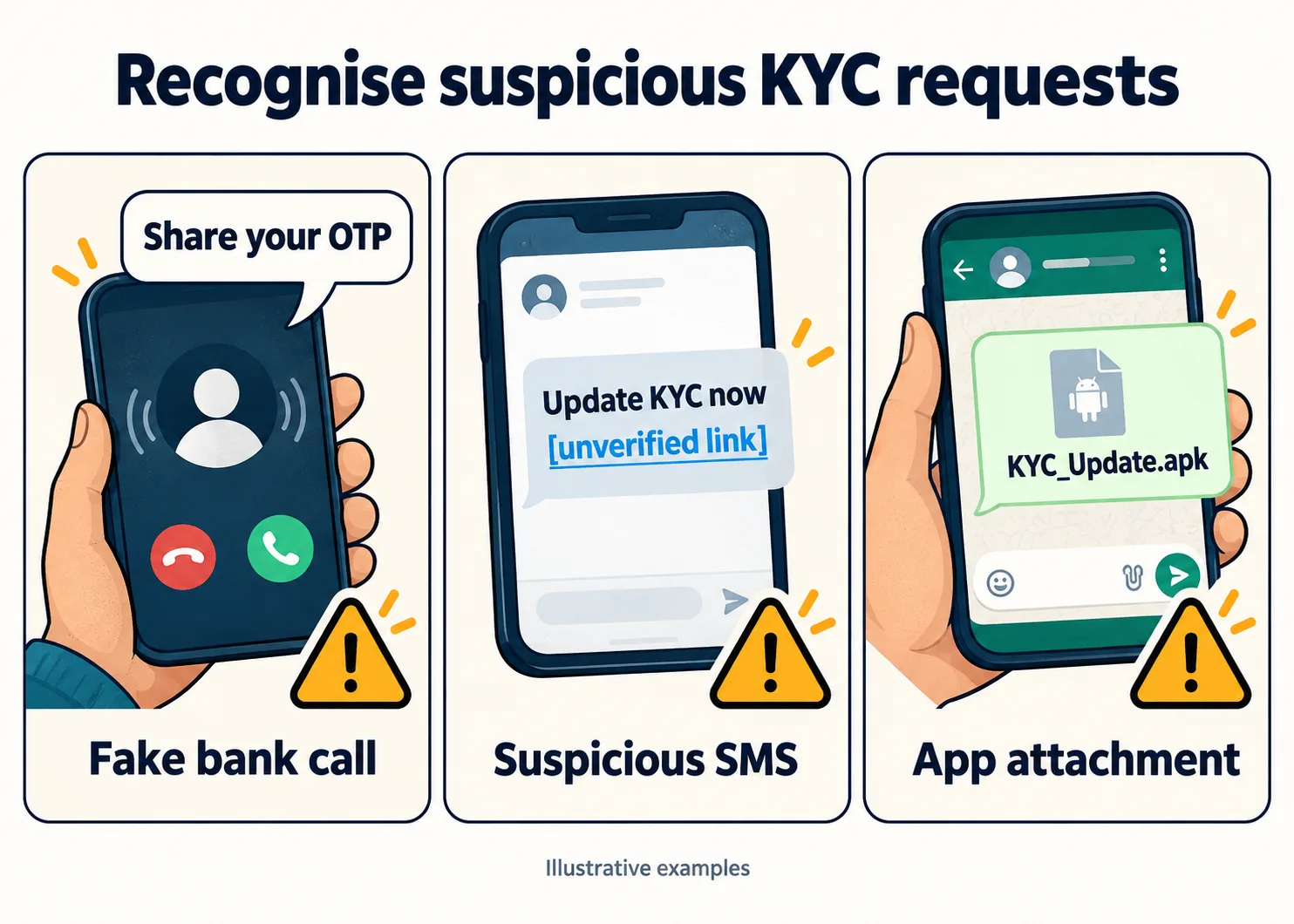
A bank KYC scam can move between channels. A phone call might be followed by a WhatsApp attachment, while an SMS could direct you to a fake support number.
Calls and SMS threatening to block your account
During a KYC update scam call, scammers may introduce themselves as a bank employee and claim your account needs immediate verification. They might keep you talking while sending a link.
Watch for instructions that discourage checking: “Do no disconnect,” “There is no time to visit the branch,” or “Complete this in ten minutes.”
A bank KYC fraud scam SMS may add a deadline and a number for “assistance.” Calling that number does not independently verify the message. It may connect you to another person involved in the fraud.
For a student preparing to pay college fees, losing account access sounds serious. Parents managing rent and household expenses may feel the same pressure. Fraudsters exploit those ordinary concerns.
Has this happened to you? Reporting takes less than five minutes and helps others too.
Fake verification links that copy bank websites
A fake KYC verification link may open a page with familiar colors, a bank logo, and a professional-looking form. It could request your customer ID, password, card details, and then an OTP.
Appearance does not prove that the bank owns the page. A padlock symbol or HTTPS connection is not proof either.
A bank KYC scam may collect information across several screens, making each request feel like another routine step. Stop if you realise you reached the page through an unverified message, even if you have already entered some information.
Avoid testing a suspicious page with real details. You do not to complete the form to establish whether it is safe.
WhatsApp attachments presented as KYC apps
Some messages ask you to install a supposed verification app. On Android, this may arrive as a file ending in “.apk,” which is an app installation file.
Union Bank of India’s customer-awareness guide identifies SMS, WhatsApp, phone calls, APK files, and phishing websites as channels used for KYC or Aadhar update fraud. App attachments therefore deserve attention alongside suspicious links.
An installed app may request access to messages, screen content or device controls. The caller might insist these permissions are necessary to finish verification.
🔔 Pro Tip: Do not install an attachment because its filename includes your bank’s name. Find the bank’s app through its official website and the app-store listing it identifies.
How Can You Tell a Genuine KYC Update From a Scam?
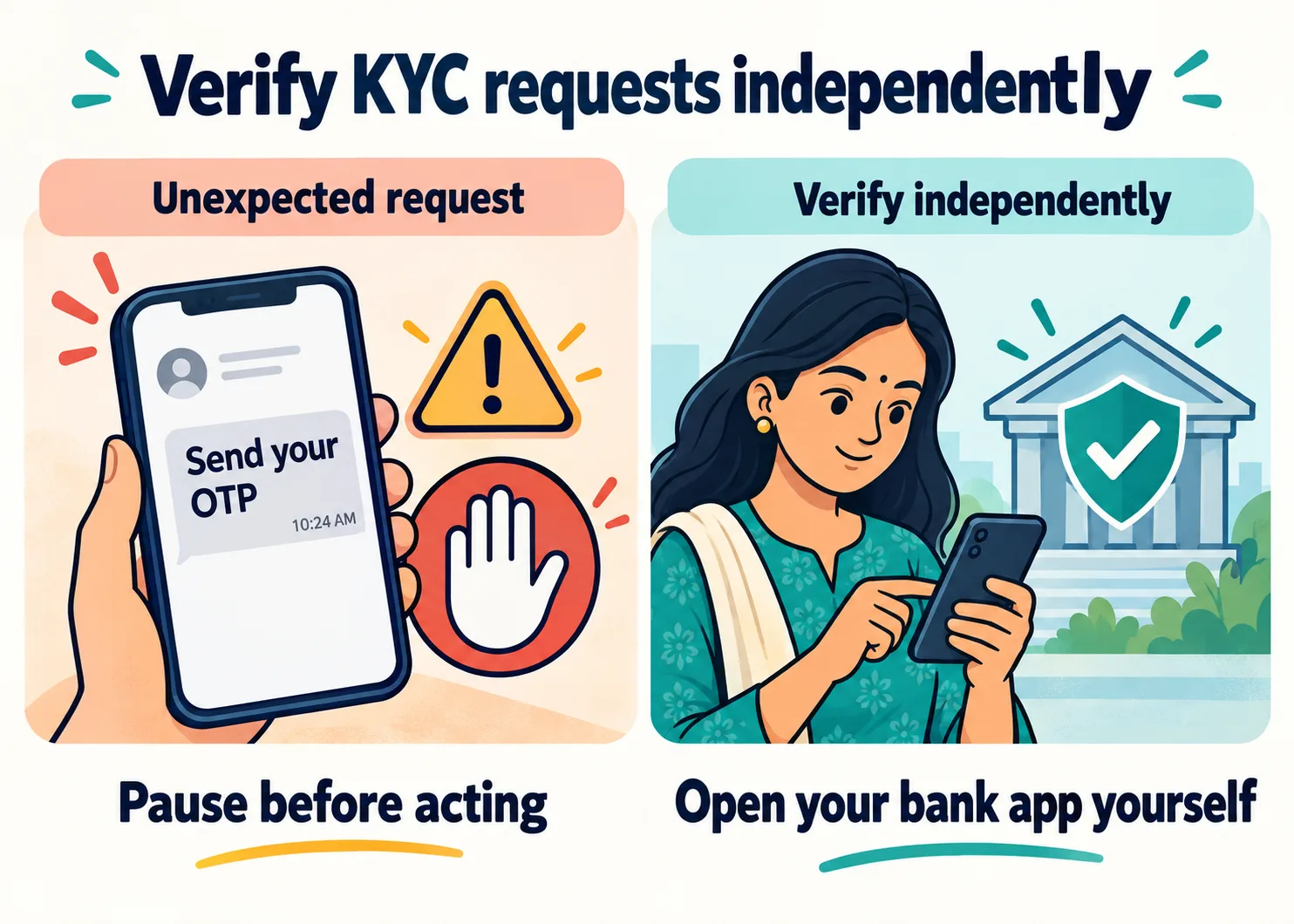
To check a possible bank KYC scam, leave the incoming conversation and contact the bank independently.
Let’s look at some of the ways you can differentiate a genuine KYC from a scam one:
Confirm the requirement through an official bank channel
Open the banking app already installed on your phone. Look for KYC notification or use its support option. Alternatively, call the number printed on your bank card or visit your branch.
Ask two direct questions: “*Is my KYC update due?”*, and “*Which official method should I use?”*
Banks genuinely conduct periodic re-KYC. For example, ICICI bank’s published FAQs explain why records need updating and describe available channels, including net banking. Your options depend on your bank and circumstance.
Ignoring every reminder could leave a genuine banking task unfinished. Following every reminder without checking could expose you to a bank KYC scam.
| What you receieve | How to respond |
| A reminder saying KYC is due | Confirm it independently with your bank |
| An unexpected link requesting banking credentials | Leave it and open the bank’s official channel yourself |
| A caller asking you to read out an OTP | End the call and contact the bank |
| An attachment described as a verification app | Do not install it; check the requirement independently |
| Instructions to act before disconnecting | Disconnect and verify the claim |
Lost money in the last few hours? Call 1930 right now – the sooner you report it, the better the chance of freezing the transfer.
Keep OTPs, PINs, and Screen Access Private
A caller may describe an OTP as a harmless “KYC confirmation code”. Read the message accompanying it. The code could relate to a login, payment or another action you did not initiate.
Never read an OTP to an unsolicited caller or share your ATM PIN, UPI PIN, or banking password. Entering an OPT within an unverified bank process you started is different from giving it to someone who contacted you.
A request to share your screen is another warning sign. Screen sharing can expose account information, private messages and codes.
💡 Thing to Remember: Knowing your name or part of your account details does not prove a caller is authorised. A bank KYC scam can sound convincing without being genuine.
Clicked a KYC Link or Shared Details? Follow These Steps
Your response to a bank KYC scam attempt should depend on what happened. Opening a page, entering a password and installing an app require different actions.
The following steps will help you if you have clicked on the KYC link or shared details with the scammers:
1. If you opened the link but did nothing else
Close the page. Do not return to investigate or enter information to test whether it works.
Check whether anything downloaded. Do not open unexpected file, install an app or grant permissions.
Opening a page does not automatically mean money has been stolen. Check your account through the official bank app and search for unfamiliar transaction or security alerts. Contact the bank promptly if you notice anything suspicious.
If you are unsure whether you granted permissions or installed something, seek help. Explain what appeared on screen and what you tapped.
2. If you shared details, entered an OTP or installed an app
Contact your bank immediately through a verified channel. Explain exactly what you entered and whether you installed anything.
“I entered my net banking password and an OTP on a suspicious page” gives the bank more useful information than “I clicked a link”.
Ask the bank to secure affected access and block relevant banking facilities where necessary. Reset exposed passwords through official channels. Change the password elsewhere too if you reused it.
If the bank KYC scam involved installing an app, stop using that phone for banking. Disconnect it from the internet and use another trusted device or phone to contact the bank.
Seek help checking the device, its permissions and the suspicious app before banking on it again. Uninstalling an app alone does not reverse transactions or secure credentials already exposed.
3. If money has left your account
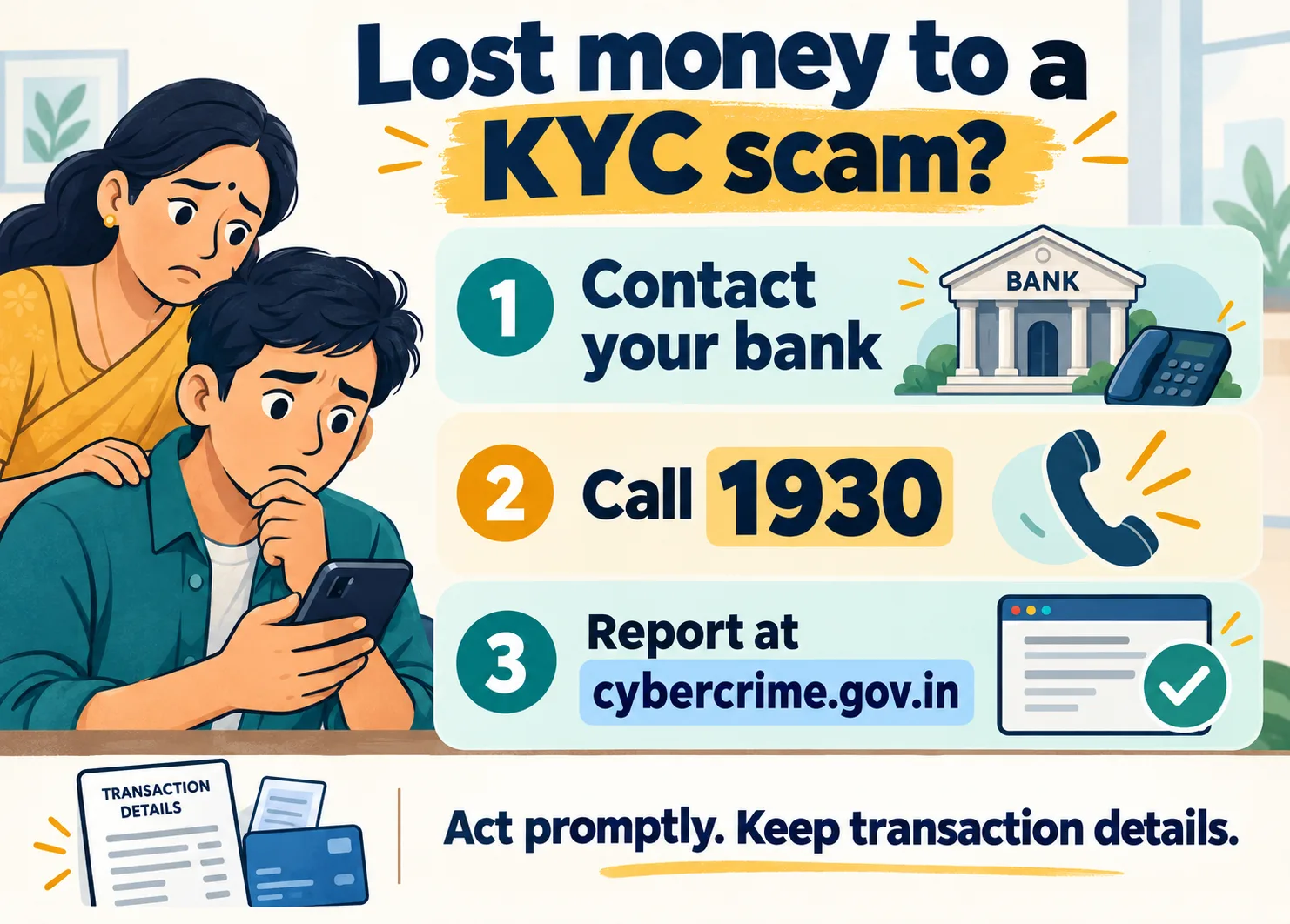
After a bank KYC scam causes financial loss, take steps immediately:
Notify your bank’s fraud team. Identify the unauthorised transactions and request a complaint reference.
Call the cyber crime helpline. The next thing you should do immediately is calling the cyber crime helpline, 1930, explain what happened with you, and follow the reporting instructions.
Submit your complaint. Next, you should submit your complain on the national cyber crime reporting portal. Remember to save the acknowledgement number and complete any requested follow-up.
Preserve evidence. Save messages, phone numbers, screenshots, transaction references, dates, amounts, and any other proof.
When you report cyber crime, describe the events in order. Include whether you shared an OTP, installed an app or approved a payment. These details explain what happened; they are not a reason to feel ashamed.
Keep separate records of your bank complaint and cybercrime complaint. Record any instructions you receive so you can follow up without relying on memory.
Reporting can help banks and authorities act on the movement of funds. It does not guarantee recovery.
🎯 Pro Tip: Begin reporting with the information you have. Do not spend hours organising screenshots before contacting the bank and 1930.
Be cautious if someone later offers guaranteed recovery for an advance fee. Verify any claimed bank or police contact independently.
How Students and Parents Can Handle Suspicious KYC Requests Together
A useful defence against a bank KYC scam is a family routine that remains simple under pressure.
Save bank contacts and agree on a pause-and-check rule
Save verified bank support numbers and 1930. Make sure everyone knows how to open their bank’s official app without following a message link.
Agree that an urgent caller cannot prevent you from disconnecting. If an account holds ₹40,000 for college fees, a blocking threat deserves independent verification, not a rushed response.
Make online fraud awareness practical. Show each other how to find bank support, recognise an unexpected installation file and check account activity. Everyone should continue keeping their passwords and PINs private.
Students living away from home can agree on a simple message with parents: “*I received this request and will check with the bank.*” Asking for a second opinion should not require handling over login details.
A bank KYC scam depends on instructions being followed before they are checked. A short pause gives you time to involve the bank.
Want the full picture on staying safe online? Read our complete guide.
Make asking for help easy and free of blame
Agree on a first response: “Tell me what happened. We’ll contact the bank.”
Starting with “Why did you click that?” can make someone reluctant to explain. Focus first on securing access and reporting any loss.
If a caller claims police authority or threatens arrest, end the conversation and verify independently. A related digital arrest scam uses such threats to pressure people into following instructions or transferring money.
💡 Thing to Remember: Both students and parents can encounter convincing messages. Quick, supportive action is more useful than deciding who should have spotted the fraud.
Conclusion: A Quick Check Can Protect Your Money
A bank KYC scam takes advantage of something customers genuinely need to do: keep their banking records updated. The difficulty is separating a legitimate request from an impersonator using the same language. Knowing the warning signs helps, but checking directly with your bank is the step that lets you act with confidence.
Whether the request arrives through a call, SMS, or WhatsApp, you do not need to follow the sender’s instructions to find out if your KYC is due. Open your bank’s official app, use a verified support number or visit the branch. Keep your OTPs and passwords private, and avoid unfamiliar app downloads.
If you have already shared details or lost money, the priority is getting help promptly. Contact your bank, call 1930 for financial cyber fraud and report the incident at cybercrime.gov.in.
For students and parents, the lasting lesson is simple: make verification a habit and asking for help easy. A suspicious message should start a conversation with your bank, not a rushed decision under pressure.
FAQs: Bank KYC Scam
Q1. How do I know whether a KYC message is genuine?
Confirm the requirement through your bank’s official app, brand, or verified support number, independently of the message.
Q2. Do banks call customers for KYC updates?
Banks may contact you about KYC, but verify the request immediately before sharing your information or following the instructions.
Q3. Can I update my bank KYC online safely?
Yes, where your bank supports it, through its verified official process and according to the requirements applicable to your account.
Q4. What should I do after clicking a fake KYC link?
Close the page and contact your bank immediately if you entered sensitive details, installed an app or noticed suspicious account activity.
Q5. How do I report a bank KYC scam?
Notify your bank, call 1930 immediately for financial fraud and submit the complaint at the national cyber crime reporting portal.